Credentials
This document explains the fields and settings used to configure OAuth2 and password-based (PW) credentials, which are later required in the connections.
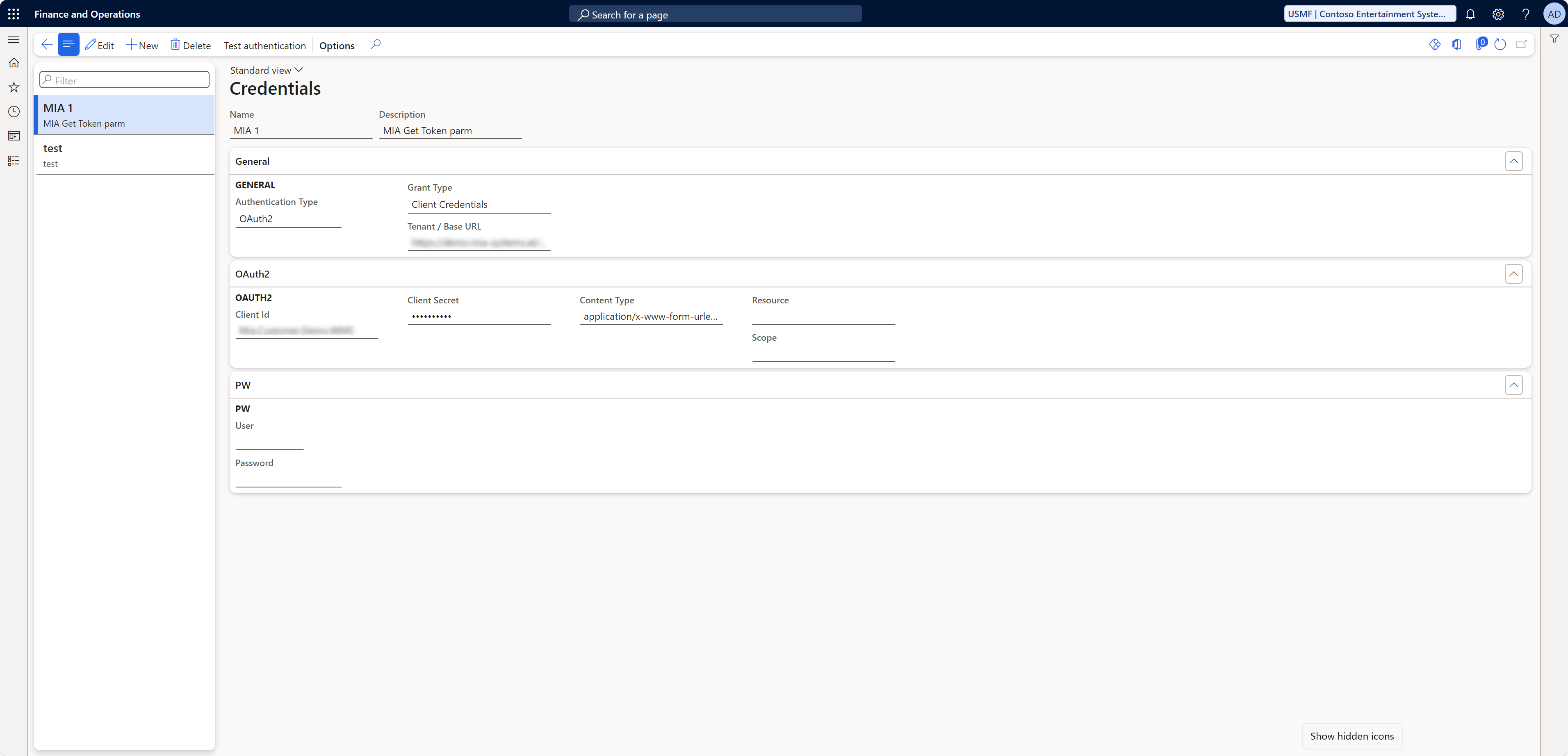
General Section
| Field Name | Description |
|---|---|
| Name | The display name of the credential entry. |
| Description | An optional description explaining the purpose of this configuration. |
| Authentication Type | Specifies the type of authentication, e.g., OAuth2. |
| Grant Type | Shows the type of OAuth2 flow, e.g., Client Credentials. |
| Tenant / Base URL | The base URL of the OAuth tenant or resource (API endpoint). |
OAuth2 Section
OAuth2 is used for secure token-based authentication. The following fields need to be configured:
| Field Name | Description |
|---|---|
| Client Id | The unique identifier of the OAuth2 application. |
| Client Secret | The secret key of the OAuth2 application. It must be kept secure. |
| Content Type | Specifies the format of the submitted data, e.g., application/x-www-form-urlencoded. |
| Resource | The specific resource or URL being accessed. |
| Scope | The permission scopes required for the token request. |
Password (PW) Section
For username/password-based authentication, the following fields are used:
| Field Name | Description |
|---|---|
| User | The username for authentication. |
| Password | The corresponding password for the specified user. |
Actions in the User Interface
- Edit: Allows editing the selected configuration.
- New: Creates a new credential configuration.
- Delete: Removes the currently selected configuration.
- Test Authentication: Tests the authentication settings to validate the configuration.
D365 Menu Item
Warehouse Connector -> Setup -> Connections -> Credentials
Example Configuration
A typical configuration might look like this:
Name: MIA 1
Authentication Type: OAuth2
Grant Type: Client Credentials
Tenant / Base URL: https://api.example.com

OAuth2:
  Client Id: XXXXXXXX
  Client Secret: **********
  Content Type: application/x-www-form-urlencoded
  Resource: https://api.resource.com
  Scope: api.read